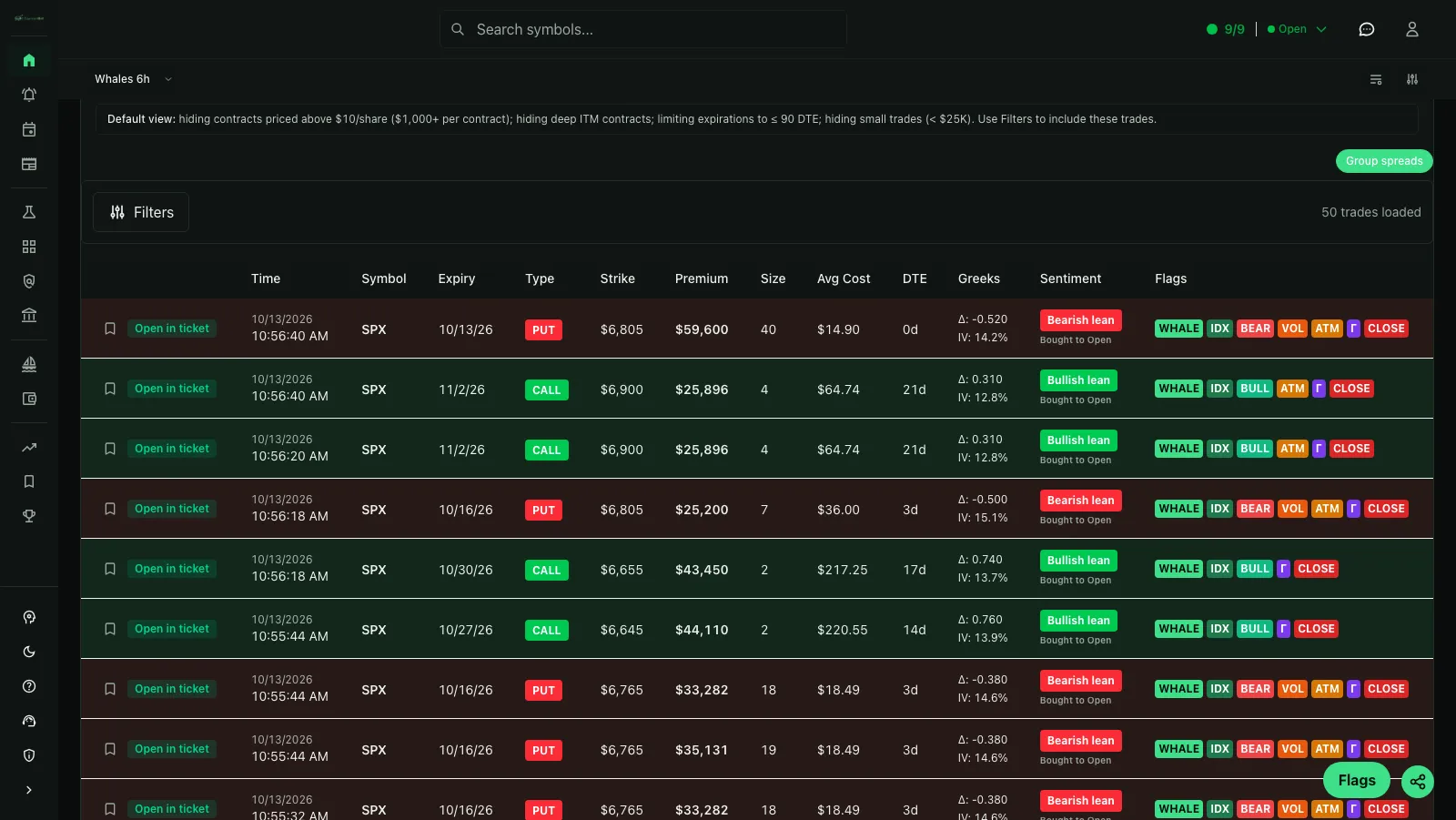
What is options flow?
Options flow is a continuously updated view of reported options transactions. An options flow scanner organizes that tape so traders can research calls, puts, sweeps, large-premium trades, unusual volume and other activity without reading an unfiltered stream of exchange prints.
The observable facts can include the underlying, contract symbol, strike, expiration, trade price, size, premium, bid, ask, volume, open interest and exchange time. Labels such as bullish, bearish, whale, unusual or sweep are classifications built from those facts. They are useful filters, but they do not reveal the account behind the order or its complete position.
How the CaymanBot options flow scanner works
CaymanBot turns options order flow into a searchable feed and preserves the quote and contract context needed to evaluate each print. Premium users who complete the OPRA non-professional attestation receive real-time data; the Free plan provides delayed data so traders can learn the workflow before upgrading. CaymanBot, LLC receives consolidated options market data as a licensed OPRA vendor. Real-time options data is delivered to Premium subscribers who have completed the OPRA non-professional attestation; Free-plan data is delayed and conspicuously labeled as delayed. The separate options-volume explorer provides a public aggregate recap for supported tickers.
- Filter one ticker, several ticker-specific groups or the broader options tape.
- Set premium, contract-size, average-cost, strike and days-to-expiration ranges.
- Separate calls from puts, index options from tradeable underlyings and selected trade directions.
- Focus on sweeps, multi-leg orders, bid-side or ask-side execution, moneyness, sentiment and available Greeks.
- Open a trade to inspect its quote snapshot, contract details, underlying chart and related research.
Find unusual options activity without losing context
Unusual options activity is relative. A large trade in SPY may be routine while a smaller print in a thin chain can be exceptional. Use premium and size with volume, open interest, bid/ask execution, liquidity, expiration and repeated activity instead of treating one threshold as universal.
Volume greater than prior open interest can be a useful clue, but it does not prove every contract opened a new position. Contracts can trade repeatedly during the session, and published open interest normally reflects the prior clearing cycle. CaymanBot keeps both values visible when available so the comparison can be made with the right limitation in mind.
Read sweeps, direction and smart-money labels carefully
Options platforms often describe large or urgent trades as institutional flow or smart-money activity. Trade size can justify investigating a print, but the tape does not identify whether the participant is a fund, market maker, retail trader or several linked accounts. CaymanBot uses observable trade characteristics and avoids treating a marketing label as verified identity.
A call bought near the ask is commonly classified as bullish and a put bought near the ask as bearish. Either leg may still close an existing position, hedge another exposure or belong to a spread. Sweep routing can suggest urgency, not certainty. Directional labels should start a research process rather than end one.
Turn options flow into a repeatable workflow
A useful options flow platform connects discovery to validation. CaymanBot combines the options tape with whale alerts, option chains, technical charts, GEX and volatility heatmaps, earnings, news, backtesting, paper trading and configurable alerts. Saved filter alerts can monitor the trade sizes and symbols that fit your process instead of requiring constant manual scanning.
Options flow is informational, not a buy or sell signal. Check liquidity, spreads, implied volatility, catalysts, position structure and defined risk before acting on any print. Backtests and paper trading are hypothetical and cannot guarantee future performance.
Primary sources
Definitions, source details and material claims were checked against these primary references.